
How to Use a Dog Age Calculator
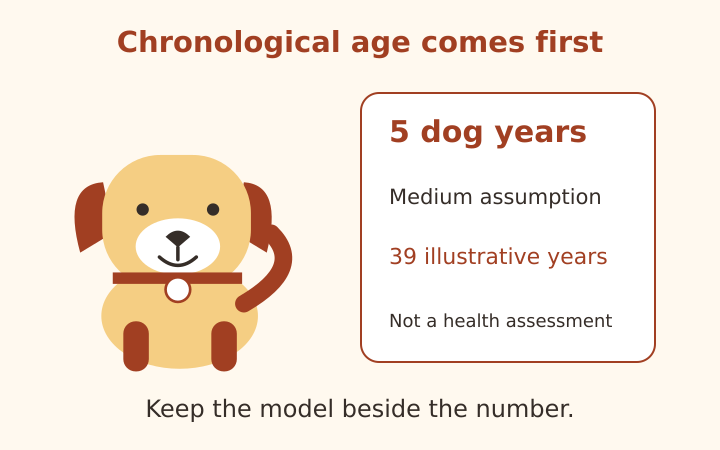
A dog age calculator can make an age comparison easier to read, but the most dependable number in the result is the chronological age you entered or calculated from dates. A human-year equivalent is a model with assumptions, not a measurement of health or remaining life. This walkthrough explains PawAgeCalc’s two input routes and its illustrative adult-size method using a fictional five-year-old dog. It also shows what the tool deliberately leaves unanswered, so a friendly result stays attached to a clear definition.
Begin with chronological age
Chronological age means elapsed time since birth. If you know that a dog has completed five years and three additional months, enter five in the years field and three in the months field. The month component stays between zero and eleven. The tool treats these inputs as an age statement; it does not inspect a record or verify that the supplied age is correct.
The years-and-months route converts the month component into a fraction by dividing by twelve. Five years and six months therefore becomes 5.5 years for the illustration. This is a convenient convention for an age entered in whole months. It is not the same as calculating exact elapsed calendar days between two dates, because actual months have different lengths.
If you have a documented birthday and want age as of a particular date, choose the date route instead. The reference date begins with the local date reported by your device and can be changed. Keep the reference date in any copied note: an age calculated today will not be the same chronological age several months later, even if the dog’s birthday is unchanged.
Select an expected adult-size assumption
The illustrative groups use expected adult size: small under ten kilograms, medium from ten to under twenty-five, large from twenty-five to under forty and giant forty or more. These boundaries are this site’s model choices, not an official veterinary classification. They organize the arithmetic and should not be treated as a clinical judgment about an individual dog.
Use expected adult size rather than a puppy’s current weight. A young dog that currently weighs a few kilograms is not necessarily in the small adult group. If you do not have a dependable adult-size expectation, select Unknown. The calculator then labels its medium assumption rather than pretending that it has determined a breed or adult size from the age fields.
The tool does not ask for a breed name and does not silently assign a breed-specific lifespan. A mixed-breed dog can still be described with an adult-size assumption when that assumption is known, but the result remains a broad illustration. Changing the group changes a chosen numerical slope after age two; it does not reveal new measurements about the dog.
Read the fictional five-year example
For a dog aged five years in the medium group, the illustration gives thirty-nine human years. The model starts at fifteen at one dog year and twenty-four at two, then adds five for each later dog year in the medium group. The calculation is 24 plus five times the three years beyond age two, producing 39.
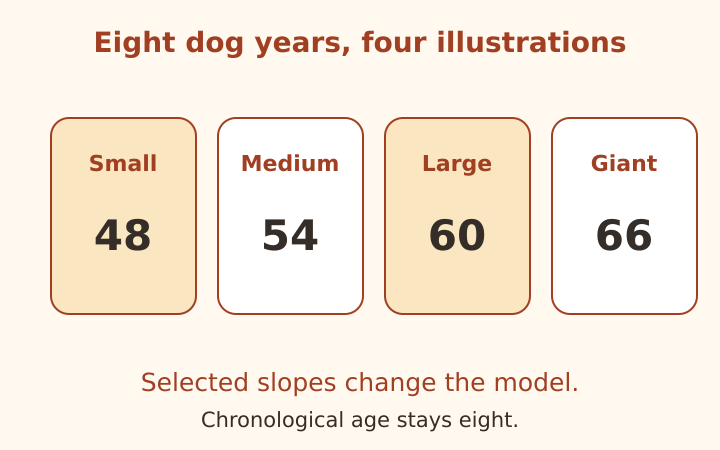
The same chronological age gives 36 for the small group, 42 for the large group and 45 for the giant group under the site’s chosen slopes of four, six and seven. These side-by-side results demonstrate sensitivity to the model assumption. They are not four competing diagnoses, and the calculator does not choose which number represents an individual’s biological state.
For ages between one and two, the site interpolates between fifteen and twenty-four. At one year and six months, that produces 19.5. For puppies under one year, it supplies no human-year equivalent and displays the elapsed age instead. This avoids presenting a smooth infant comparison as if it were a validated developmental assessment.
Separate the model from veterinary context
The UC Davis veterinary age overview describes common age-comparison conventions and their limitations. PawAgeCalc’s size slopes and interpolation are an explicit site illustration; they are not an official chart reproduced from that page. A source can provide context without certifying every design choice in a calculator.
The illustration also does not assign a clinical life stage. A displayed human-year number cannot decide whether a dog is medically mature, senior or in need of a particular test. Individual veterinary assessment uses information beyond a birth date and a broad size group. The result must not be used to set treatment, replace a consultation or label a dog as healthy.
A precise display is not precise biology
One decimal place can reflect the arithmetic accurately while the underlying age or size assumption remains approximate. If the birthday was estimated at adoption, preserve that uncertainty. A human-year value such as 41.5 does not justify a claim that the dog’s biological age is known within half a human year. It only describes the selected formula applied to the supplied input.
Use the chart as an illustration of one method
The expandable chart lists whole dog ages from one through sixteen for the selected size group. It lets you inspect how the model progresses instead of receiving an unexplained number. At age two, every group starts from twenty-four; after that the selected slope determines the differences. The chart is original arithmetic from this method, not a copied veterinary chart.
The input software allows ages through thirty years, but results above sixteen are explicitly marked as mathematical extrapolation. A software boundary is not a lifespan prediction or evidence that the comparison has been clinically validated at the boundary. The chart stops at sixteen to keep the displayed example range modest and readable, while the calculation’s scope note remains visible.
The dog age chart examples show several worked calculations with their assumptions. Compare the definitions before comparing numbers from another website. Some tools use different slopes, a single multiplier or a research model answering another question. Their outputs need not coincide when their methods differ.
Copy an age note you can explain later
Copy age and assumptions places a plain-text note on your device clipboard. It includes chronological age, entry mode, size assumption and model limits. Date mode also includes the birth and reference dates. If clipboard permission is unavailable, a selectable text area lets you copy manually. The calculator does not upload its inputs or save a persistent calculation history.
The working dog age calculator hides previous results when an active field is invalid and disables copying until it is corrected. That prevents an old estimate from appearing to describe a new incomplete entry. Reset restores the fictional example, so replace it before making a note about your own dog.
Keep chronological records separate from the illustration. A useful note might say documented birthday, age as of a stated date, medium-size assumption and illustrative equivalent. That wording preserves what is known and what was chosen. Informational only, not veterinary advice: discuss individual age, development and care with your veterinarian rather than treating a converted number as an assessment.
Frequently asked questions
Is the human-year result a health assessment?
No. It is an illustrative comparison from the stated model, not a diagnosis, care schedule or remaining-lifespan prediction.
What does Unknown size do?
It uses a clearly labeled medium assumption. The tool does not infer breed or expected adult size.
Keep age and assumptions together
Open the dog age calculator to make an age note with the entry method and adult-size assumption visible. The human-year comparison is illustrative only, not veterinary advice, a health assessment or a prediction of remaining lifespan.
More notes from the setup desk
Dog Age Chart: Five Clear Worked Examples
Follow five original age examples, including size comparisons, fractional ages, puppy dates and clearly labeled model extrapolation.
Read the note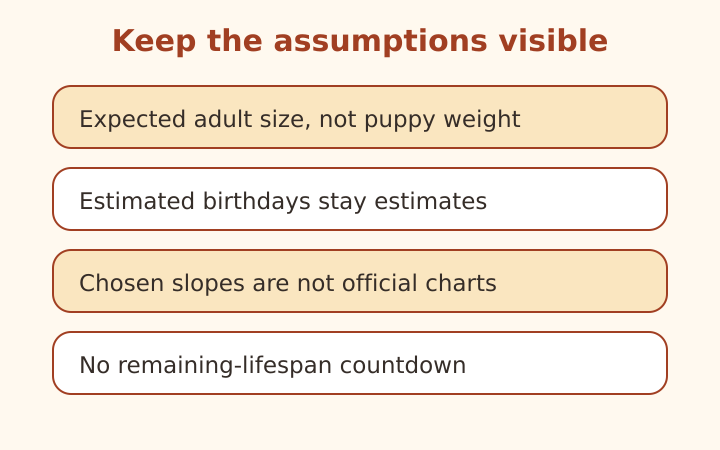
Dog Age by Breed and Size: Mistakes to Avoid
Check adult-size assumptions, estimated birthdays and chart claims. Learn why breed longevity statistics are not individual countdowns.
Read the note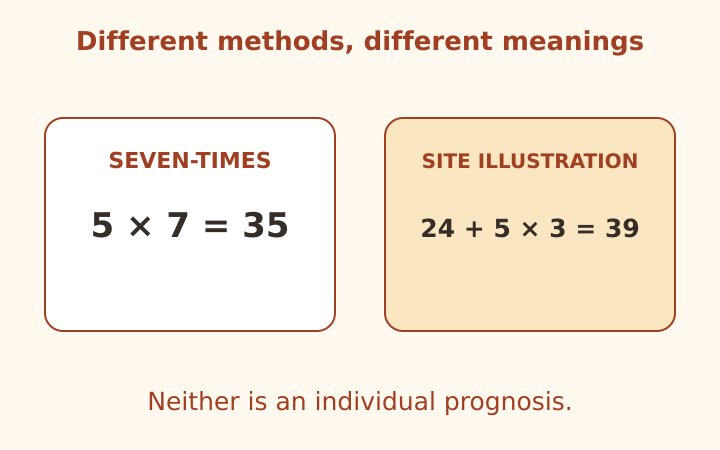
Dog Years to Human Years: Methods Compared
Compare the seven-times rule, a staged illustration and research context while keeping chronological age separate from prognosis.
Read the note