
Puppy Age Calculator: Calendar Age Explained
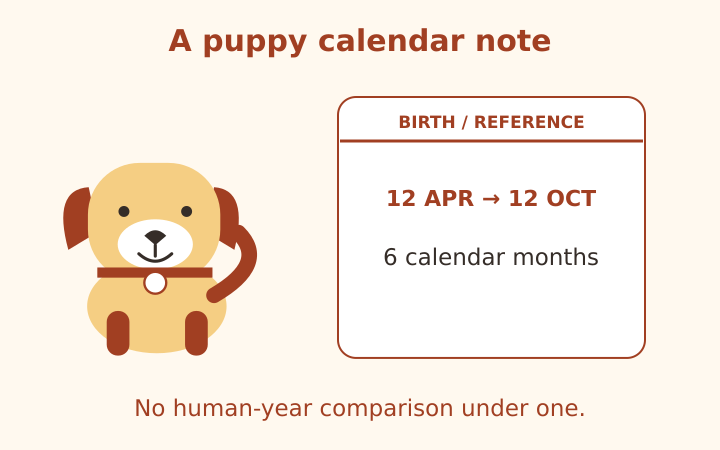
A puppy age calculator is most useful when it keeps elapsed age clear. Weeks, calendar months and decimal years are different representations, and none automatically becomes a reliable human-age assessment for a young dog. PawAgeCalc therefore shows chronological age for puppies under one year without assigning a human-year equivalent. This guide explains how to use documented or estimated dates, interpret calendar boundaries and preserve uncertainty in an age note without turning arithmetic into a developmental or veterinary judgment.
Identify the birthday information you actually have
A recorded birth date is a different input from a birthday estimated when a dog was adopted. Both can be entered into a date calculator, but the resulting precision should be described differently. If the date is an estimate, say so in the note. Calculating a detailed number of elapsed days does not convert an uncertain birthday into a documented fact.
Sometimes a record states an approximate age on a particular day rather than a birthday. Preserve that original statement. If you choose a provisional birthday for the purpose of keeping records, retain the reference date and the fact that the birthday was inferred. The website does not determine age from appearance, teeth, photographs, behavior or a rescue description.
Avoid asking the calculator to resolve conflicting records. If two documents give different birthdays, you can calculate the chronological age from each as separate scenarios, but the arithmetic cannot decide which document is accurate. Keep the disagreement visible and seek clarification through the relevant record holder or veterinary team when the dog’s actual age matters.
Choose dates when calendar age is the question
Select Birth date and reference date, then enter the known or provisional birthday and the date you want to examine. The calculator checks that both are real calendar dates and that the reference does not precede birth. It uses calendar arithmetic rather than treating each month as thirty days or each year as exactly 365 days.
For a fictional birthday of April 12, 2026 and a reference date of October 12, 2026, the completed calendar age is zero years and six months. The elapsed day count is also shown, but it is a separate representation. Reading both helps explain why six calendar months is not always the same number of days for every birthday.
The reference date initially follows your device’s local date. A device with a wrong calendar or time zone can therefore start from a reference you did not intend. Review the field before saving a note. You can enter a historical reference date to understand an older record or a later date for a clearly labeled arithmetic scenario.
Distinguish weeks from completed calendar months
Eight weeks is fifty-six days. Two completed calendar months can span a different number of days depending on the months involved. If a document says eight weeks, do not silently rewrite it as exactly two calendar months. The difference is a matter of units, not a disagreement about the same calculation.
PawAgeCalc’s manual age route accepts completed years and additional whole months. It does not accept a separate week field or fractional months. For a record expressed in weeks with a known birthday, use dates to obtain the elapsed-day and calendar-age representations. If no birthday is known, keep the original weeks statement rather than inventing exact dates merely to obtain a detailed output.
Decimal years are a model input convention
In manual mode, six months becomes half a year because the calculation uses months divided by twelve. Date mode instead uses the fraction of the birthday-to-next-birthday interval that has elapsed. These conventions can produce slightly different fractional ages between anniversaries. They are documented choices, not different claims about a puppy’s biological development.
Read leap-day and month-end cases with their convention
For a February 29 birthday, the calculator uses February 28 as the anniversary in a non-leap year. On February 28, 2025, a fictional dog born February 29, 2024 is therefore one completed year old under this convention. Another record system might use March 1. If a formal record relies on a different convention, preserve that definition rather than treating this calculator as the authority.
Completed months are anchored to the birth date, with a missing day clamped to the last day of the target month. A January 31 birthday reaches one completed month on February 28 in a non-leap year. Remaining days are counted from that clamped month anniversary. The tool explains elapsed time; it does not decide legal registration rules or age eligibility for another service.
These cases are worth labeling because ordinary birthdays can hide the underlying convention. A copied note should include the actual dates when the interpretation matters. The dog age and date calculator retains those fields in its copied summary, making the calculation easier to reproduce later.
Understand why the puppy result has no human-year number
Under one dog year, the result says that the human-year comparison is not shown. Chronological age remains visible and usable. This is a deliberate scope limit, not a missing calculation or an error. A simple website model should not imply that it has assessed infant development by converting every young age into a precise human equivalent.
The AAHA life-stage guidance explains that stage definitions involve characteristics as well as age and that individual variation requires clinical judgment. PawAgeCalc does not assign those clinical stages. Its under-one-year display boundary belongs to the illustration, not to an official rule that every dog develops on the same birthday schedule.
At exactly one year, the site’s adult comparison begins at fifteen illustrative human years. That numerical change is a boundary of the chosen display model. It should not be interpreted as an abrupt biological transformation between the previous day and the birthday. Keep chronological age as the primary record and treat the comparison as optional context.
Keep an age note separate from a care decision
An age record can help organize a conversation, but the calculator does not tell you whether growth is normal, when a dog needs a procedure or which care schedule applies. Those questions require the dog’s individual history and veterinary assessment. Do not delay care because a calculator displays a reassuring number or use the absence of a human-year value as evidence of a problem.
The guide to breed and size assumptions explains why a puppy’s current weight should not determine an adult-size model automatically. Unknown is a valid choice when the expected adult group is uncertain. The tool labels a medium assumption rather than guessing a breed or adult weight from incomplete information.
Copy the chronological age, date basis and any uncertainty together. Keep documented facts distinct from estimated birthdays and model choices. The result is informational only, not veterinary advice. A clear age note is useful because it tells another reader what was entered and when, while leaving developmental interpretation to the people with the appropriate individual context.
Frequently asked questions
Why is no human-year estimate shown for puppies?
The site deliberately excludes comparisons under one dog year. Chronological age remains available; the boundary is a display-model limit, not a clinical stage rule.
How is a leap-day birthday handled?
February 29 is clamped to February 28 in non-leap years. State this convention if a record uses a different anniversary.
Keep age and assumptions together
Open the dog age calculator to make an age note with the entry method and adult-size assumption visible. The human-year comparison is illustrative only, not veterinary advice, a health assessment or a prediction of remaining lifespan.
More notes from the setup desk
Dog Age Chart: Five Clear Worked Examples
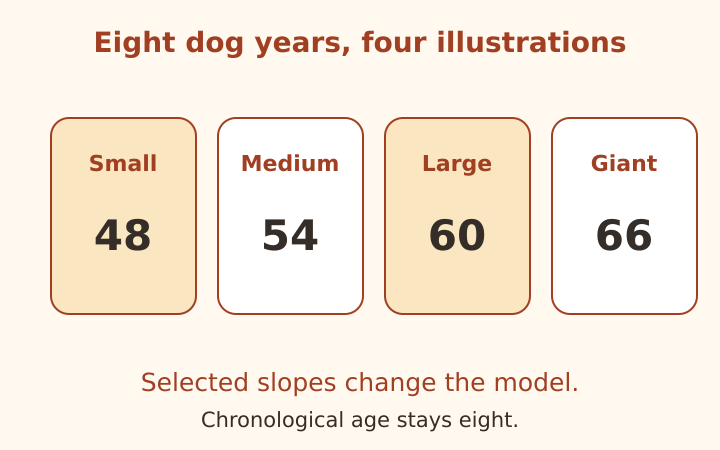
Follow five original age examples, including size comparisons, fractional ages, puppy dates and clearly labeled model extrapolation.
Read the note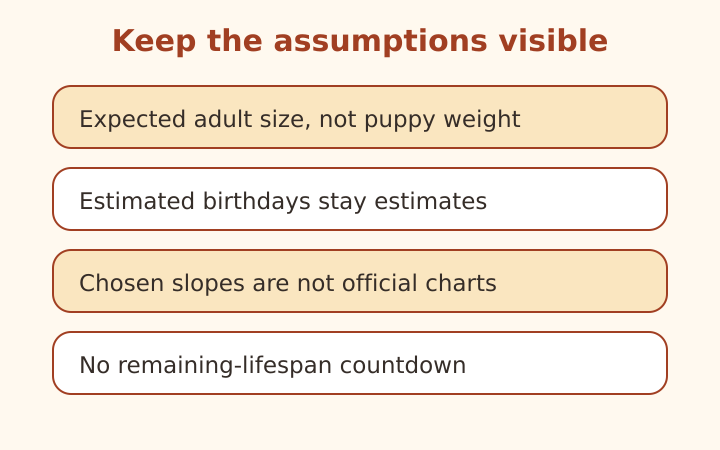
Dog Age by Breed and Size: Mistakes to Avoid
Check adult-size assumptions, estimated birthdays and chart claims. Learn why breed longevity statistics are not individual countdowns.
Read the note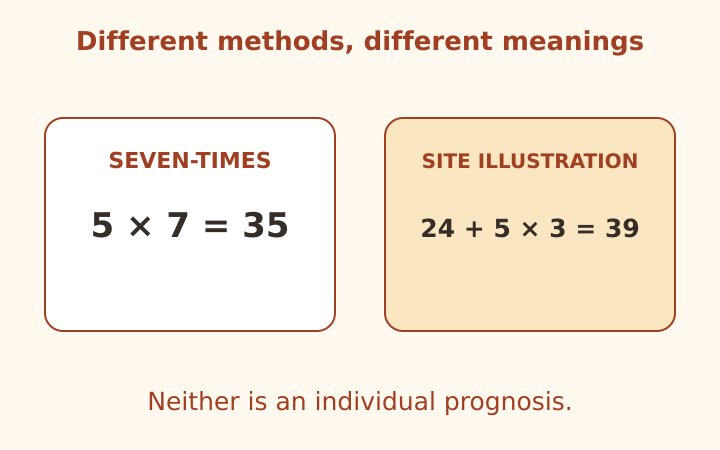
Dog Years to Human Years: Methods Compared
Compare the seven-times rule, a staged illustration and research context while keeping chronological age separate from prognosis.
Read the note